> ## Documentation Index
> Fetch the complete documentation index at: https://docs.kaleidoswap.com/llms.txt
> Use this file to discover all available pages before exploring further.
# Unlocking Your Wallet
> Step-by-step instructions for unlocking your wallet in the Kaleidoswap Desktop App
After creating your wallet, you must unlock your node each time you open the Kaleidoswap Desktop App. This is done using the password you set during node initialization.
## Quick Unlock Flow
1. **Open the App**\
Launch the Kaleidoswap Desktop App.
2. **Select Your Account**\
Choose the account associated with the node you want to use.
3. **Run the Node**\
Start the node from the account dashboard.\
If the node is locked, the unlock screen will appear automatically.
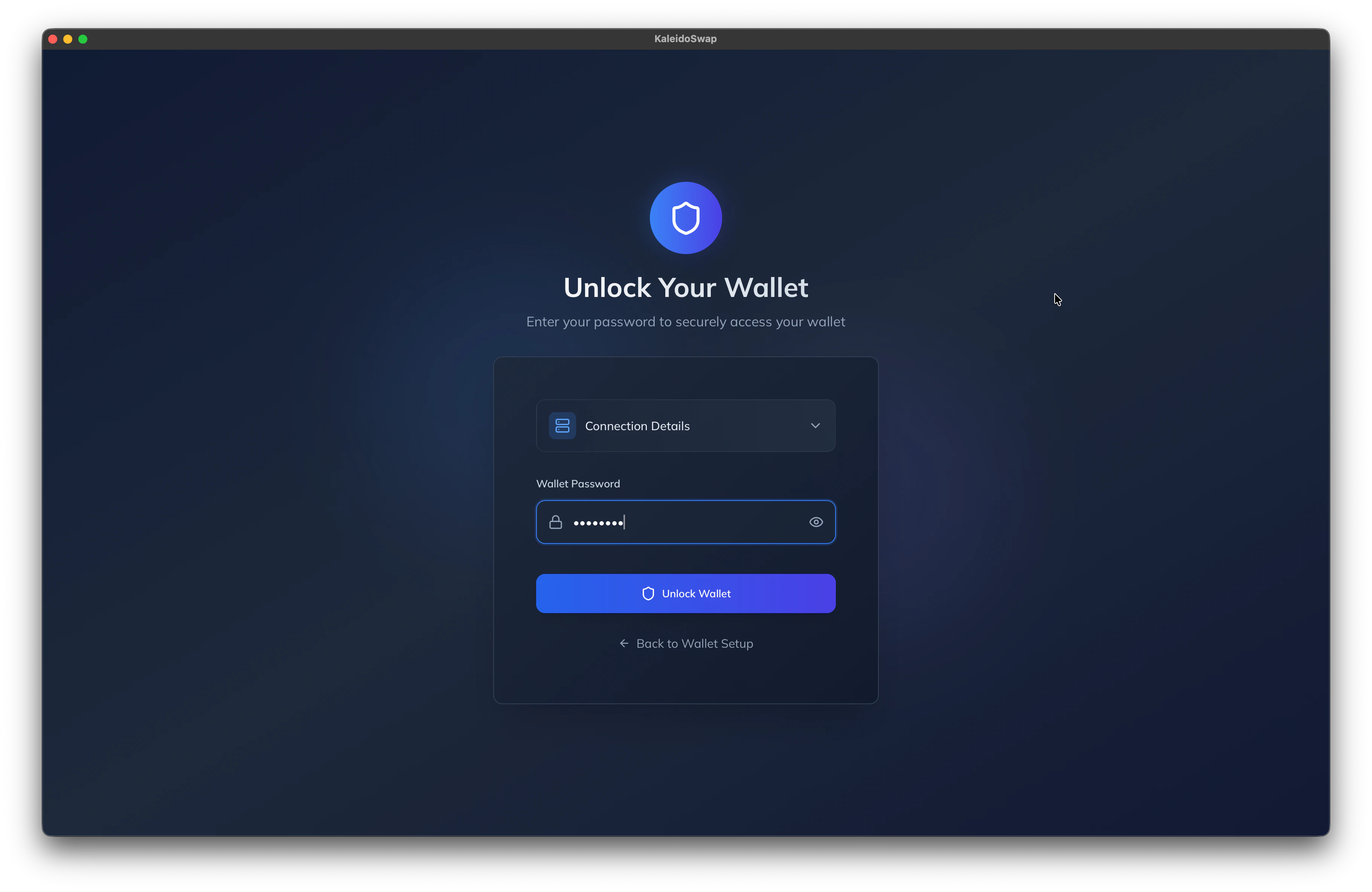
4. **Enter Your Password**\
Type the password you used when initializing the node into the password input field.\\
 ## Node Sync Before Unlocking
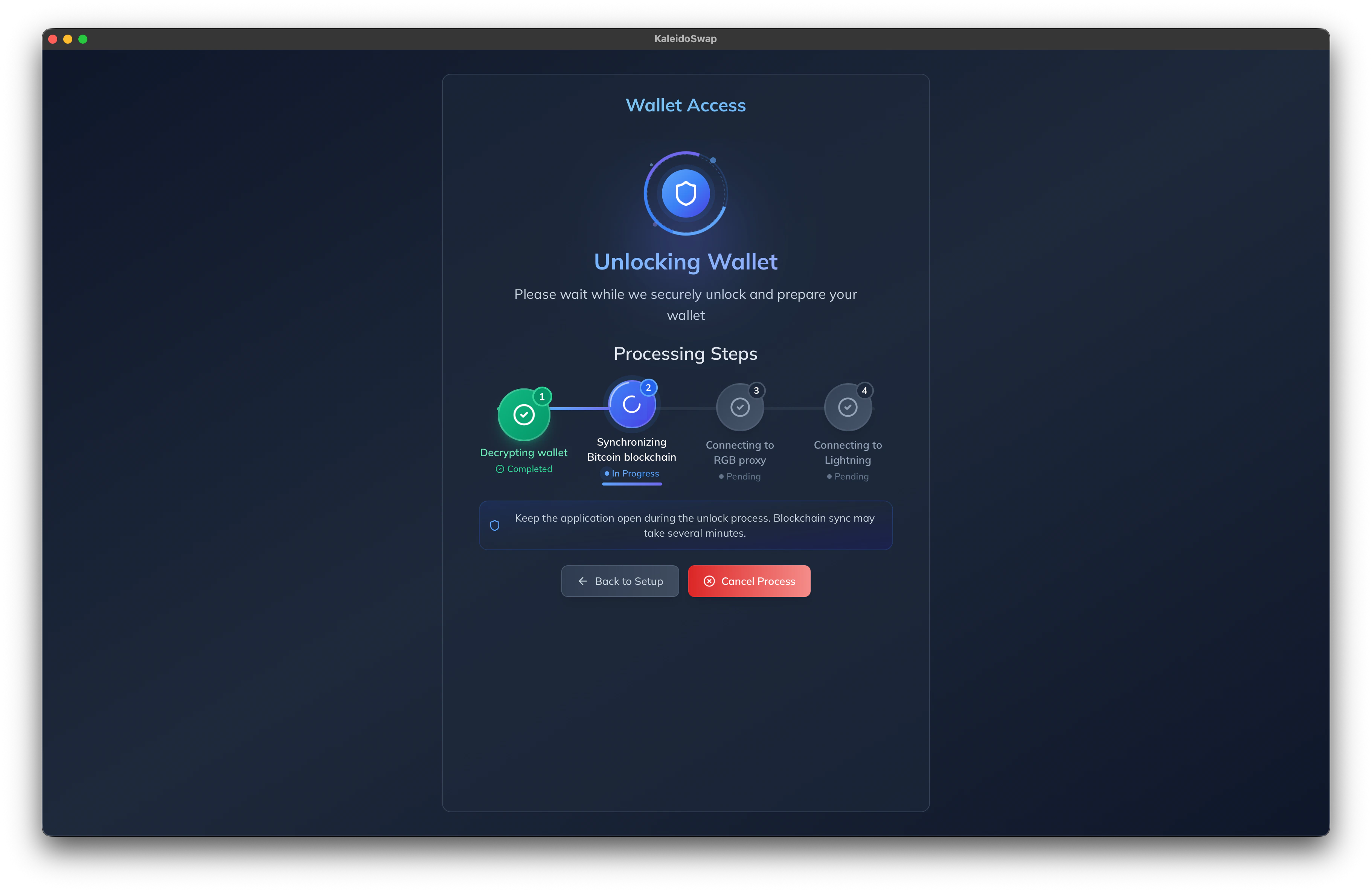
After entering the correct password, the node will begin syncing with the blockchain **before** it becomes fully accessible.\
The duration of this process depends on how many blocks need to be synced, which varies based on how long the node has been offline.\
Please be patient while the node completes this step.
## Node Sync Before Unlocking
After entering the correct password, the node will begin syncing with the blockchain **before** it becomes fully accessible.\
The duration of this process depends on how many blocks need to be synced, which varies based on how long the node has been offline.\
Please be patient while the node completes this step.
 ## Understanding Unlock Parameters
* **Password**\
Secures access to your wallet and node. This is the same password you set during the initial node setup.
* **Network Selection**\
Choose the appropriate network (e.g., Mainnet or Testnet) to interact with the correct blockchain environment.
* **Advanced Settings**\
These settings are taken from the node’s account configuration. Adjust them in the toolbar if needed before unlocking:
* RPC authentication for Bitcoin Core
* Electrum indexer address
* RGB proxy and port settings for communication with the RGB Lightning Node
## Understanding Unlock Parameters
* **Password**\
Secures access to your wallet and node. This is the same password you set during the initial node setup.
* **Network Selection**\
Choose the appropriate network (e.g., Mainnet or Testnet) to interact with the correct blockchain environment.
* **Advanced Settings**\
These settings are taken from the node’s account configuration. Adjust them in the toolbar if needed before unlocking:
* RPC authentication for Bitcoin Core
* Electrum indexer address
* RGB proxy and port settings for communication with the RGB Lightning Node