

What is the KaleidoSwap Extension?
The KaleidoSwap Extension is the KaleidoSwap browser wallet for Bitcoin and its layers. It gives users one wallet surface for Spark, Arkade, Liquid, RGB on Bitcoin L1, an optional RGB Lightning Node (RLN), swaps, a cross-chain bridge, Nostr identity, and DApp connectivity.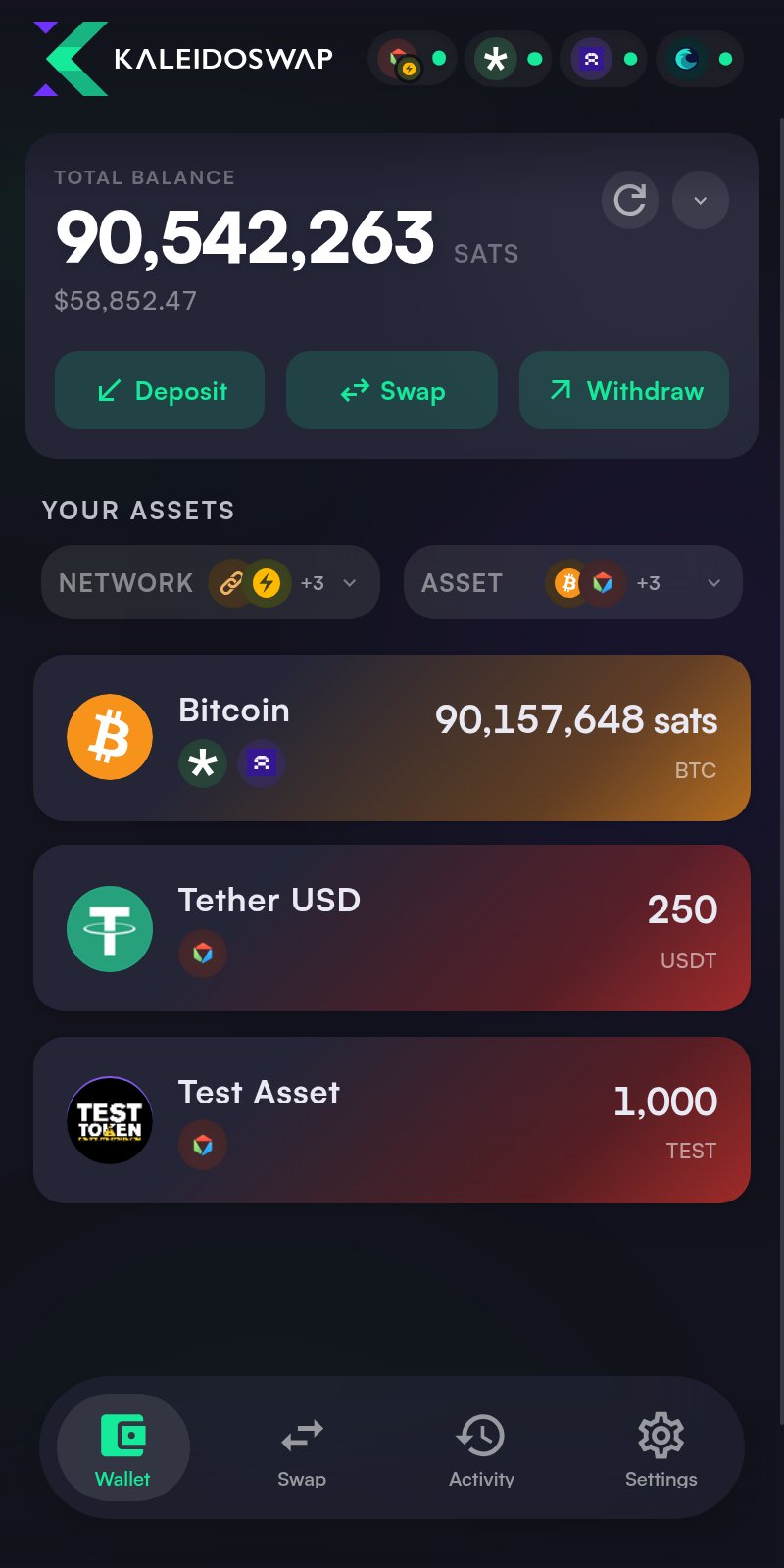
Key Features
Wallet Management
- Create a wallet with a freshly generated 12-word recovery phrase, or import an existing 12 or 24-word phrase
- Derive Spark, Arkade, Liquid, RGB-L1, and Nostr identity state from the same phrase
- Opt into an RGB Lightning Node when you want RGB Lightning channels and maker-based RGB swaps
- View BTC by account and layer: Spark, Arkade, Liquid, Bitcoin L1, and Lightning/RLN
- Filter assets by protocol account and network, and hide assets you don’t want on the dashboard
- Open the wallet in the side panel, a popup, or a full browser tab
Send and Receive
- Send to Bitcoin addresses, Lightning invoices, Lightning addresses, LNURL-pay, Spark addresses, Arkade routes, Liquid addresses and
liquidnetwork:URIs, and RGB invoices where supported - Receive through Spark, Arkade, Liquid, Bitcoin on-chain, Lightning, or RGB invoice flows depending on the selected account and asset
- QR code generation for easy sharing
- Auto-detection of destination type and compatible route
Asset Swaps and Bridge
- Fetch KaleidoSwap maker pairs when RLN is connected
- Use Spark/Flashnet venues when Spark pools are available
- Review quote output, fee, expiry, and venue before execution; a built-in maximum slippage protects the minimum output amount
- Bridge funds between Spark and external chains (EVM networks, Solana, and more) with persistent order tracking
DApp Connectivity
- WebLN provider (
window.webln) for node info, invoices, payments, keysend, and LNURL - WebBTC provider (
window.webbtc) for on-chain addresses, PSBT signing, and broadcasting - Nostr provider (
window.nostr) implementing NIP-07 event signing and encryption, derived from the recovery phrase or an imported identity - NIP-46 remote signing (
bunker://) and Nostr Wallet Connect for external apps - Permission prompts for sensitive DApp operations, with a Connected Apps manager for per-capability review and revocation
Security
- Argon2id-derived password hash and a separate Argon2id-derived AES-GCM encryption key
- Master mnemonic encrypted in
chrome.storage.local; decrypted only in memory while unlocked - Optional passkey (WebAuthn) unlock alongside the password
- PSBT confirmations decode and display destinations, amounts, and the network fee before you sign
- Auto-lock timeout configurable from Security settings
Architecture
The KaleidoSwap Extension uses a multi-protocol adapter architecture:The RGB-L1 and RGB Lightning Node backings are mutually exclusive: RGB assets live either in the node-less on-chain account or on your RLN node, not both at once.
How It Works
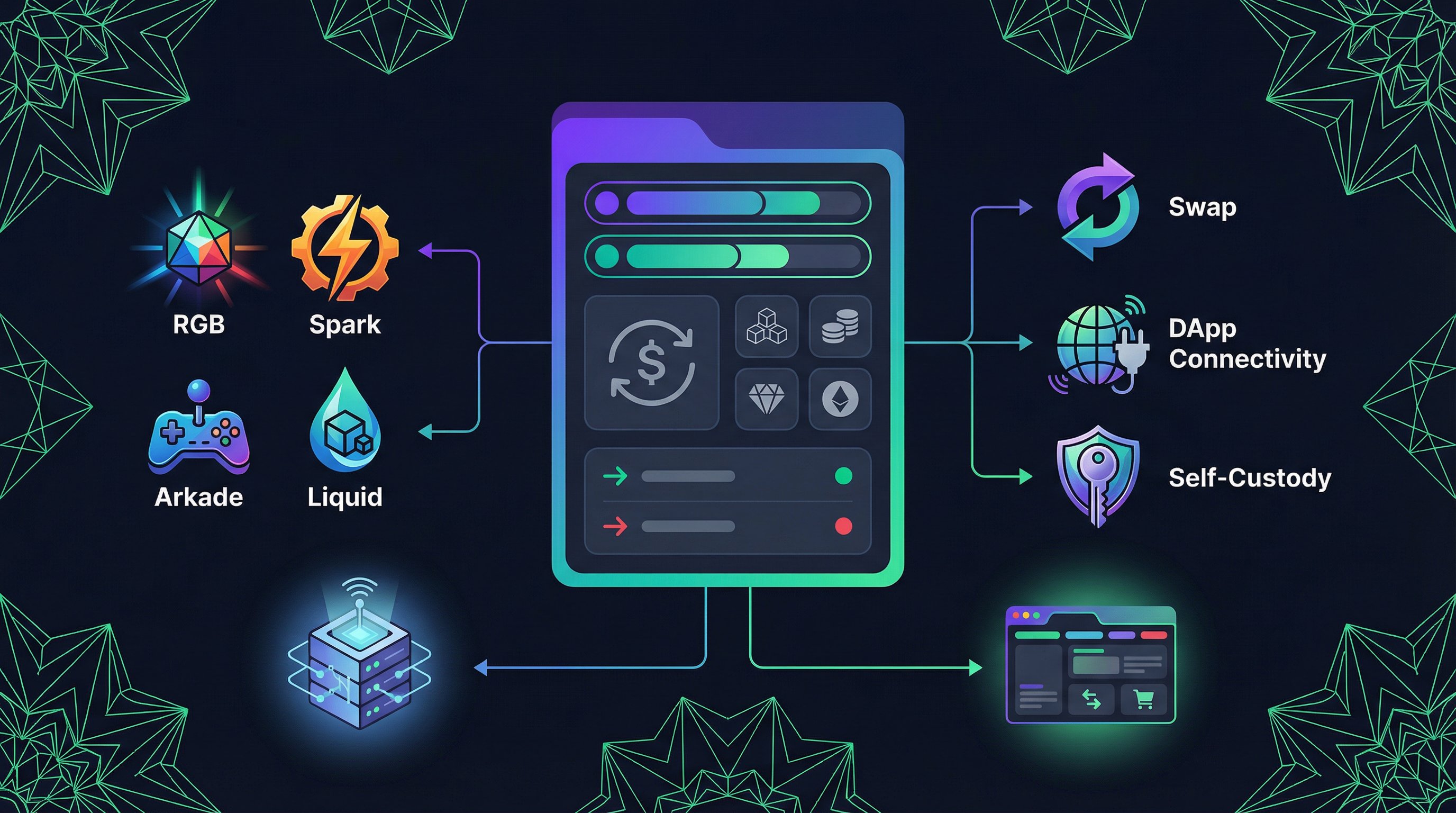
- The extension UI runs in the browser side panel, a popup, or a full tab
- The background service worker manages protocol adapters and cross-context messaging
- Spark, Arkade, Liquid, and RGB-L1 are derived from the wallet recovery phrase
- RGB Lightning Node is optional and currently presented as an experimental feature
- DApp connectivity is handled through content scripts that inject
window.webln,window.webbtc,window.nostr(NIP-07), andwindow.bitcoin
Everyday Wallet Flow
The KaleidoSwap Extension keeps wallet actions close to the browser:- Open KaleidoSwap - Launch the wallet from the browser toolbar
- Review balances - Check BTC, Spark, Arkade, Liquid, and RGB asset state
- Move funds - Deposit, withdraw, swap, or bridge from the extension
- Approve requests - Confirm trusted DApp actions only after reviewing the details
Access the Beta
Request access to the KaleidoSwap Extension closed beta.