

Browser Requirements
The KaleidoSwap Extension is built as a Manifest V3 web extension. The first closed beta is distributed as a Chromium-compatible zip archive for Developer Mode installation.Installation
Closed Beta Zip (Developer Mode)
The first KaleidoSwap Extension release is an invite-only closed beta. There is no browser-store listing yet, and the extension source repository is not public yet. Invited testers receive a personal download link from the KaleidoSwap team, of the formhttps://kaleidoswap.com/dl?t=.... It always serves the latest beta build, so keep the email — the same link works for every update.
1
Download the Beta Zip
Open the download link from your beta invite. It serves the current build as a zip archive.
2
Verify What You Downloaded
The published checksum and the maintainer’s detached signature are available on the same link:Compare it against the archive you downloaded:To check the signature as well, fetch it with
&file=asc and verify against the KaleidoSwap release signing key (696F19C9DA0ADBE8B38E5346E007BFF05941433B):3
Extract the Archive
Unzip the archive into a stable folder on your machine. Keep this extracted folder in place while the extension is installed, because the browser loads the extension from that folder.
4
Open Extensions Page
Navigate to
chrome://extensions in your Chromium-based browser.5
Enable Developer Mode
Toggle Developer mode in the top-right corner.
6
Load Unpacked
Click Load unpacked and select the extracted folder that contains
manifest.json.7
Pin the Extension
Pin the KaleidoSwap icon in your toolbar for easy access.
Not Available Yet
Closed beta testers should install only the zip served by their personal download link. Source-build instructions will be added when the extension repository is made public.
First Launch
After installation, clicking the KaleidoSwap icon in your toolbar opens the wallet in the browser side panel (on browsers that don’t support the side panel API, it falls back to a toolbar popup). On first launch, you are guided through the onboarding flow: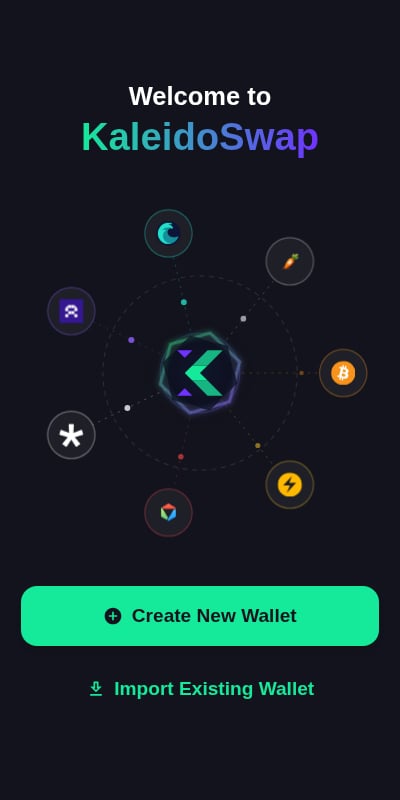
- Welcome screen - Create a new wallet or import an existing phrase
- Password setup - Create a secure password to protect the local wallet
- Recovery phrase backup - Save the phrase that controls Spark, Arkade, and Nostr identity
- Optional RLN setup - Connect an RGB Lightning Node, or skip and connect it later
- Ready - Continue to the wallet dashboard
Permissions
The KaleidoSwap Extension requests the following Chrome extension permissions:
The manifest also declares
host_permissions for the specific endpoints the wallet talks to: KaleidoSwap services, block explorers and indexers, the RGB proxy, Spark/Flashnet, Arkade, and price APIs.
The KaleidoSwap Extension stores the encrypted mnemonic in
chrome.storage.local. Network calls are made only for the accounts and services you connect.Updating
Closed beta builds do not auto-update through a browser store. When a new beta is available, open your download link again — it always serves the current build — extract it, then return tochrome://extensions and click Reload on the KaleidoSwap Extension card. If you extracted the new build into a different folder, remove the old unpacked extension and load the new folder.
Because beta builds ship a fixed extension ID (mmldlmkphefjjbpbajnhnkbiahiabiog), your accounts, balances and settings carry over across updates. Keep your recovery phrase to hand regardless.
Uninstalling
To remove the KaleidoSwap Extension, follow the instructions provided by your browser.Access the Beta
Request access to the KaleidoSwap Extension closed beta.