

Overview
The Bridge moves funds between your Spark account and external blockchains through Flashnet Orchestra. It works in both directions:- Deposit - Send assets from an external chain (for example USDC on Ethereum or Solana) and receive BTC or USDB on your Spark account.
- Withdraw - Send from Spark to a supported destination on an external chain. Pasting an external-chain address in the Send flow detects the compatible bridge routes automatically.
The Bridge moves funds across chains. To exchange one asset for another inside your wallet, use Swaps.
Supported Networks
Available routes come from Flashnet Orchestra and can change over time. Networks surfaced in the bridge UI include Ethereum, Base, Arbitrum, Optimism, Polygon, Solana, Tron, Avalanche, BNB Chain, HyperCore, and HyperEVM, with common assets such as BTC, USDT, and USDC. Inbound sources are listed dynamically from Orchestra; the default source is USDT on Polygon. Use the network filter and the BTC / USDT / USDC quick chips in the asset picker to narrow the route list.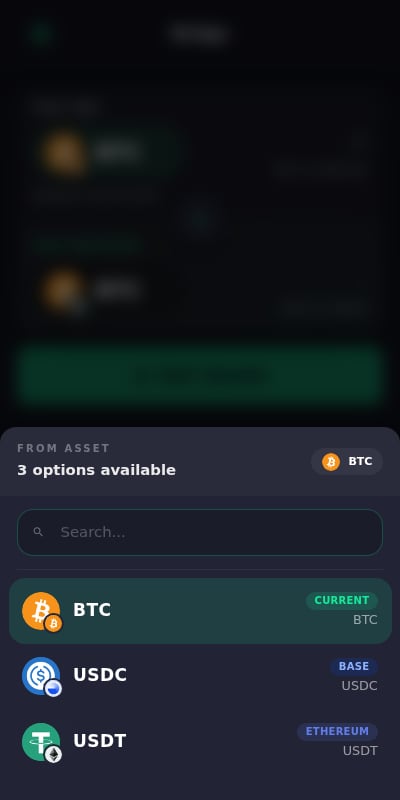
Bridging In (Deposit)
1
Open Bridge
On the dashboard, tap Receive, then choose Bridge from another chain under the asset list.
2
Pick the Source
Choose the source chain and asset you will send from. Use the network filter or quick chips to find it faster.
3
Pick the Destination
Choose what you want to receive on Spark: BTC or USDB.
4
Get a Quote
Enter the amount. The extension fetches a quote showing the expected output, fees, and limits.
5
Send the Funds
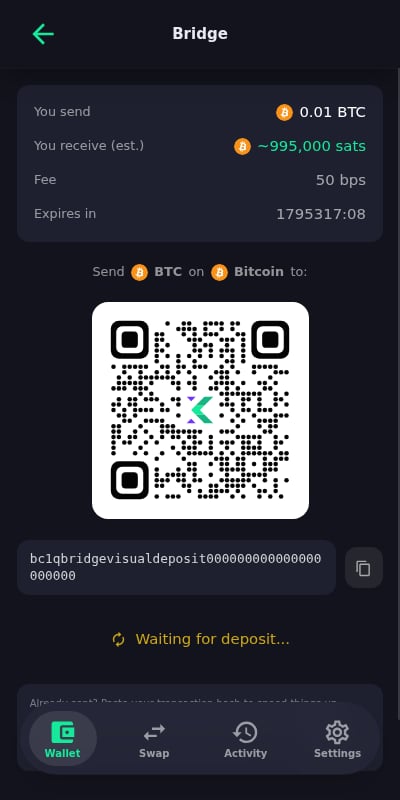
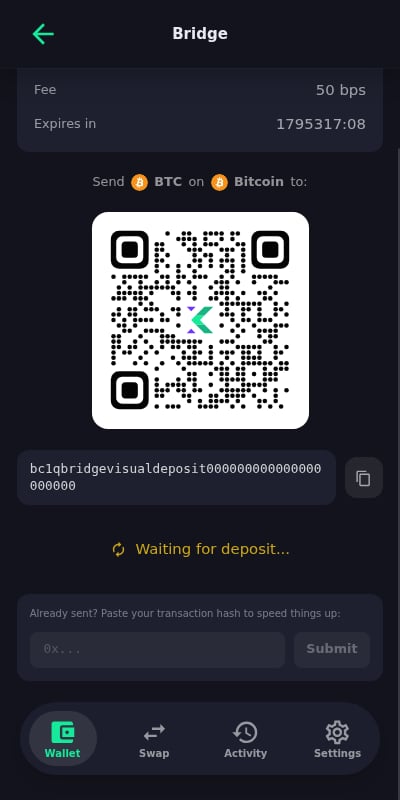
The bridge shows a deposit address (with QR code) on the source chain. Send the quoted amount from your external wallet.
6
Track the Order
The order status updates as the deposit confirms and the funds arrive on Spark. Orders are persisted, so tracking resumes even if you close the extension mid-bridge.
Bridging Out (Withdraw)
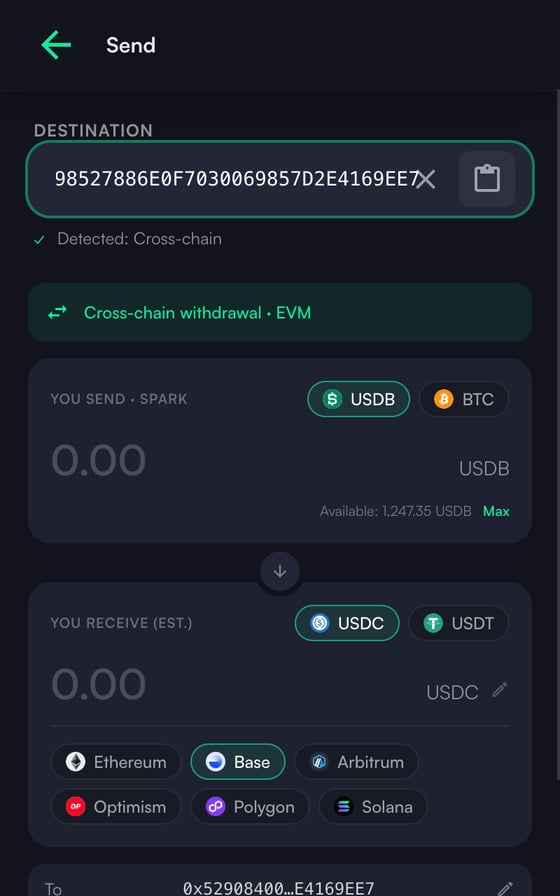
Cross-chain withdrawals start from the regular Send flow. Outbound destinations are curated: USDC or USDT on Ethereum, Base, Arbitrum, Optimism, Polygon, Solana.1
Paste the Destination
Paste an address on the destination chain (for example an EVM or Solana address). The extension detects which bridge routes can reach it.
2
Choose Route and Amount
Pick the destination asset and enter the amount. By default the amount pins what you send, and the quote shows the expected output. On eligible routes you can switch to a You receive (exact-out) mode that pins what the recipient gets instead.
3
Review and Confirm
Review the destination, output amount, and fees, then confirm. The extension pays from your Spark account and the bridge delivers on the destination chain.
4
Track the Order
Order progress is tracked persistently until completion, surviving extension restarts.
Order Tracking and Recovery
Bridge orders are saved locally as a session. If the extension closes or the service worker restarts while an order is in flight, the bridge screen restores the pending order and continues tracking it. Completed and failed orders show their final status with the relevant transaction references.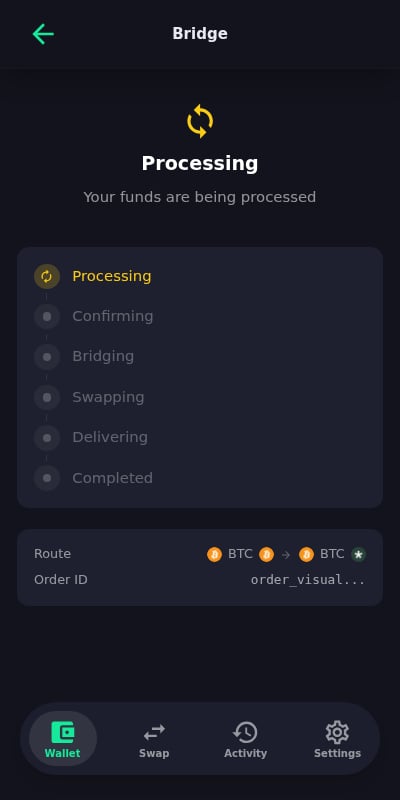
Tips
Verify the destination address
Verify the destination address
Cross-chain transfers are irreversible. Double-check the destination address and chain before confirming.
Respect quote limits
Respect quote limits
Quotes include minimum and maximum amounts. Sending outside the quoted amount on a deposit can delay or strand the order.
Leave the order screen open when possible
Leave the order screen open when possible
Tracking recovers automatically after a restart, but keeping the screen open gives you live status updates.
Access the Beta
Request access to the KaleidoSwap Extension closed beta.