

Opening a Channel
The following is the procedure that will allow you to open a LN channel on your node. As mentioned in step 4, you can open it with or without adding a RGB asset on top of it.- Open the Channels section and select the “Open Channel” tab.
- Select a Peer either by inserting the node ID or public key of the peer or by selecting a suggested node.
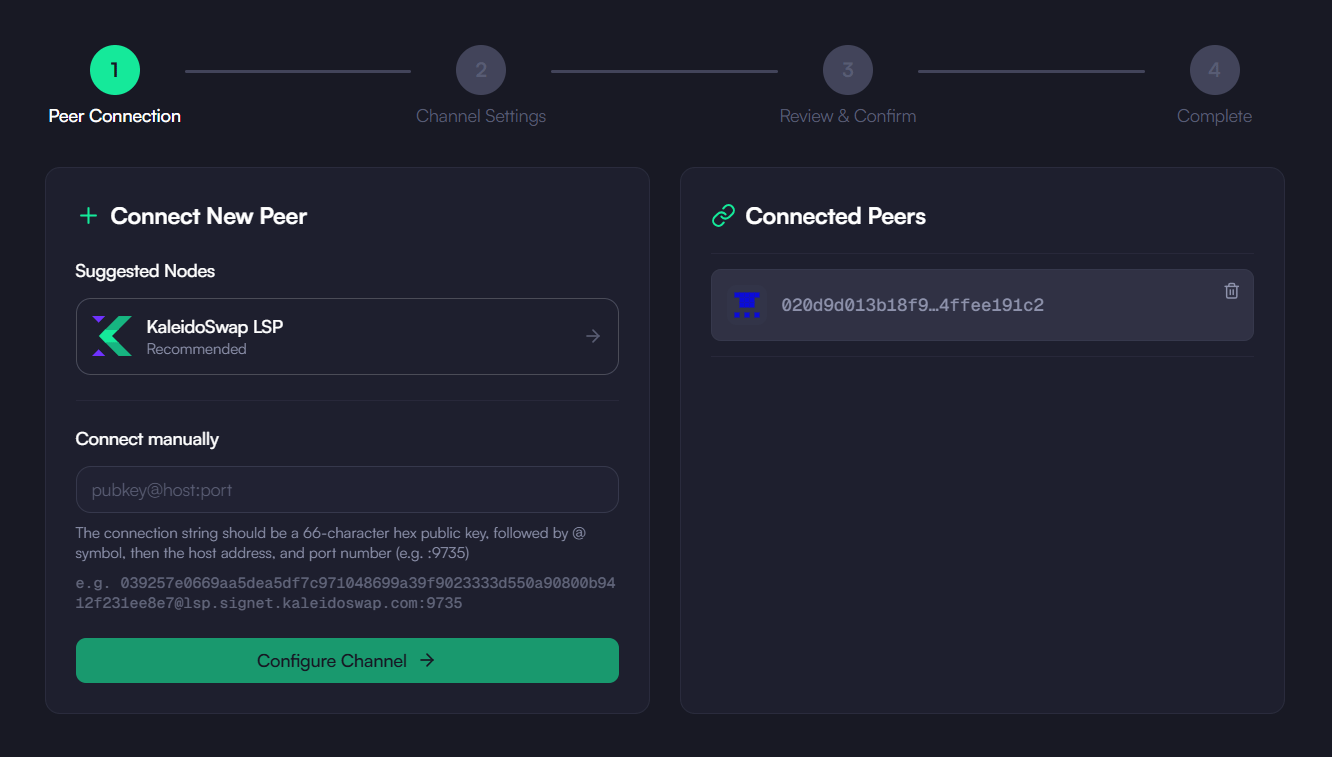
- Specify the amount of Bitcoin to allocate to the channel. This will represent the total capacity of the channel.
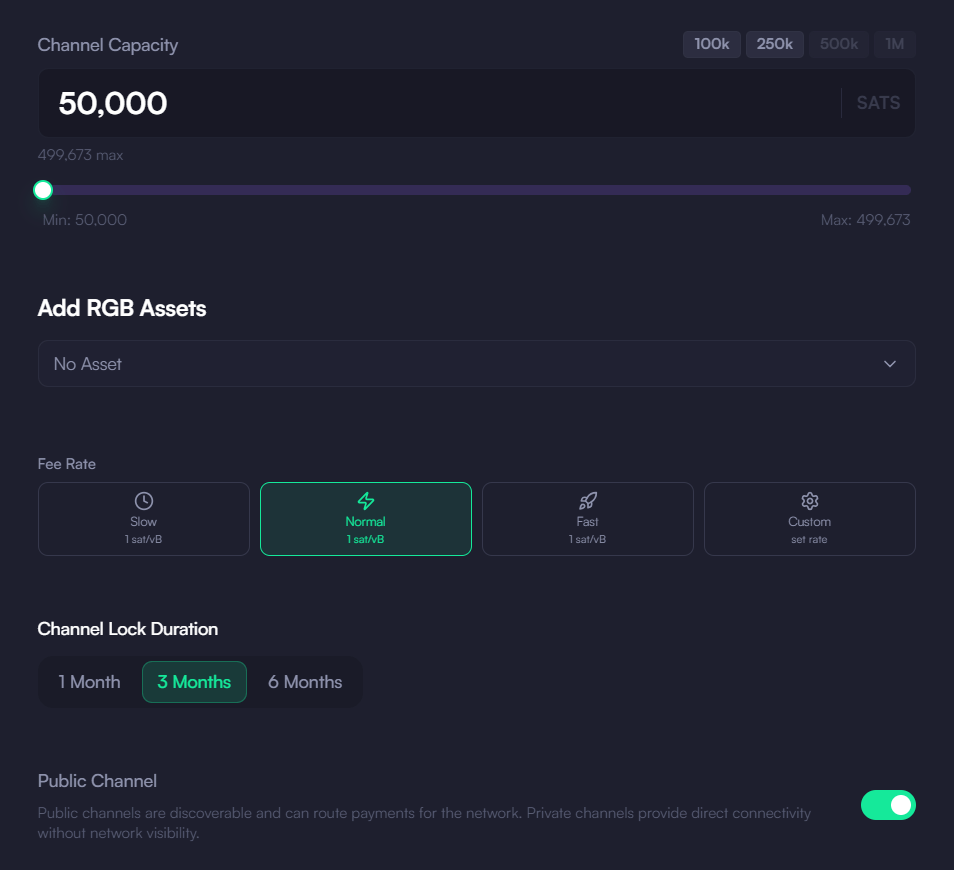
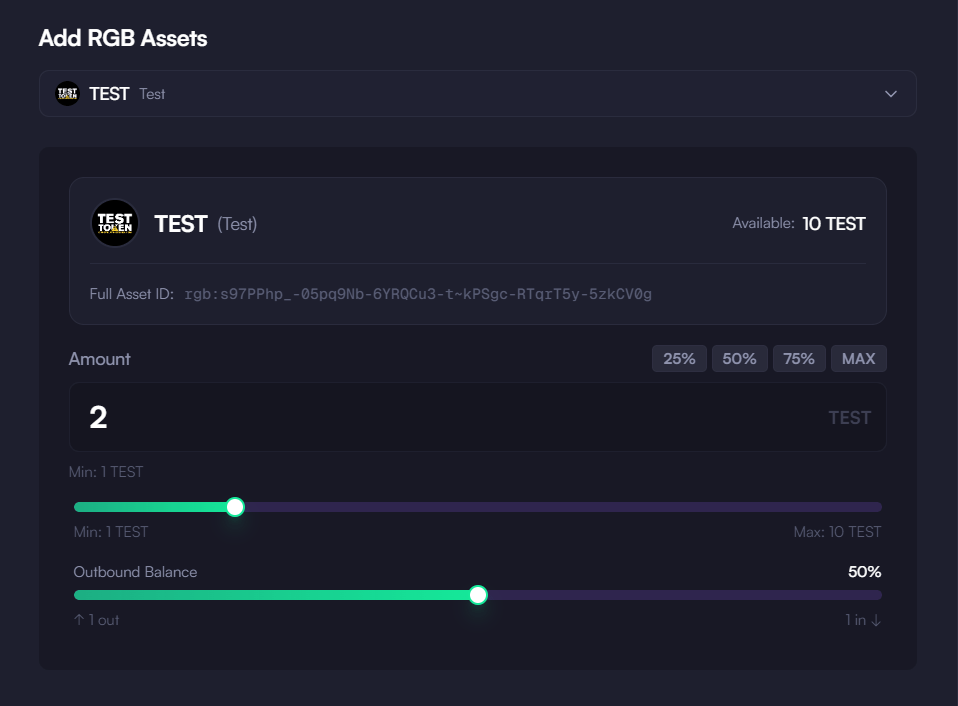
- [Optional] Add RGB Assets by doing the following:
- Click “Add Asset”.
- Select the RGB assets you want to include. Note that you need to already have received or generated the asset in advance to open a channel with it. If your purpose is to include an asset that you don’t already have seen in your wallet - as it’s usually the case for first time users - the best way to proceed is to buy a channel instead.
- Define how much of each asset to allocate to the channel.
This step is required if you want to use the channel to swap one or more RGB assets.
- Select a Transaction Fee Rate and go to “Next”.
- Double-check all the information:
- Bitcoin amount.
- RGB asset amounts (if present).
- Peer information.
- Open Channel: Click “Confirm” to initiate the channel opening process.
Channel Opening Process
The following is the high-level flow required to operate with a newly-opened channel:- Confirmation: The app will display a confirmation screen with the channel details.
- Funding Transaction: The funding transaction will be broadcast to the Bitcoin network.
- Waiting Period: Wait for the required number of confirmations (around 6 blocks, roughly an hour on mainnet).
- Channel Active: Once confirmed, your channel will be ready for use.
Important Notes
- Minimum channel size: 50,000 SATs
- Required confirmations: around 6 blocks
- Channel capacity cannot be changed after opening
- RGB assets cannot be added to a channel after opening — include them when creating the channel
- Keep your node online during the opening process
Next: Buy New Channel
Download the Desktop App
Get the latest KaleidoSwap Desktop App release for macOS, Windows, or Linux.