

Prerequisites
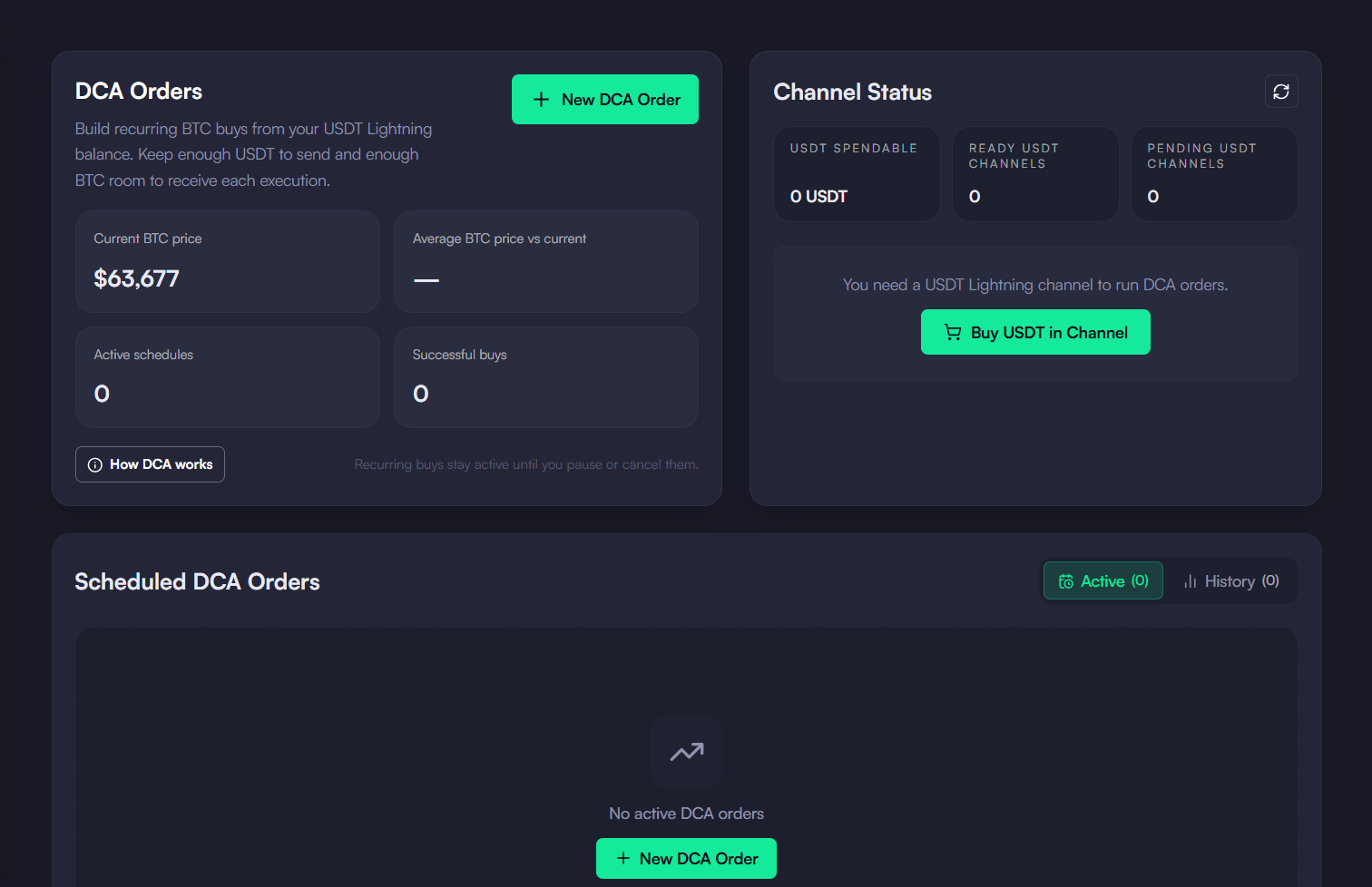
- A USDT Lightning channel — DCA spends USDT from a ready channel that holds USDT. Without one, the page offers Buy USDT in Channel. See Buy a Channel.
- Receive room for BTC — each buy credits sats to that channel, so it needs enough BTC inbound capacity.
- A maker — the account needs a maker URL (set by default on Mutinynet; on other networks the page asks for a maker URL).
Creating a DCA Order
1
Open DCA
In the sidebar, open Trading and select DCA. The page shows the current BTC price, your average buy price, active schedules and successful buys, plus your channel status.
2
Start a new order
Click New DCA Order. Choose Scheduled to buy on a fixed cadence, or Price Target to buy once BTC drops by a set percentage (it re-arms after each buy).
3
Set the amount and interval
Enter the Amount per buy (USDT). The form estimates the sats each buy brings in and what stays in your channel afterwards. Pick how often to buy: 1h, 4h, 8h, 24h or 1w.
4
Create the order
Click Create Order. The order card shows the interval and a countdown to the next buy.
How Executions Work
The app checks due orders while it is open and your node is unlocked. When an order is due, it requests a USDT → BTC quote, initializes the swap with the maker, whitelists it on your node and executes it. Progress shows as a toast, ending with the sats bought. To run a buy immediately, click Execute on the order card. This does not change the schedule’s cadence; the next buy is counted from this one.A buy is skipped and the order paused if the USDT balance in your channels is lower than the amount per buy. Quotes more than 2% below the expected amount are rejected as excessive slippage.